
Parts and truck stock that keep themselves up to date
Reads the parts used on completed Housecall Pro jobs, keeps stock counts per truck, and emails a daily reorder list.
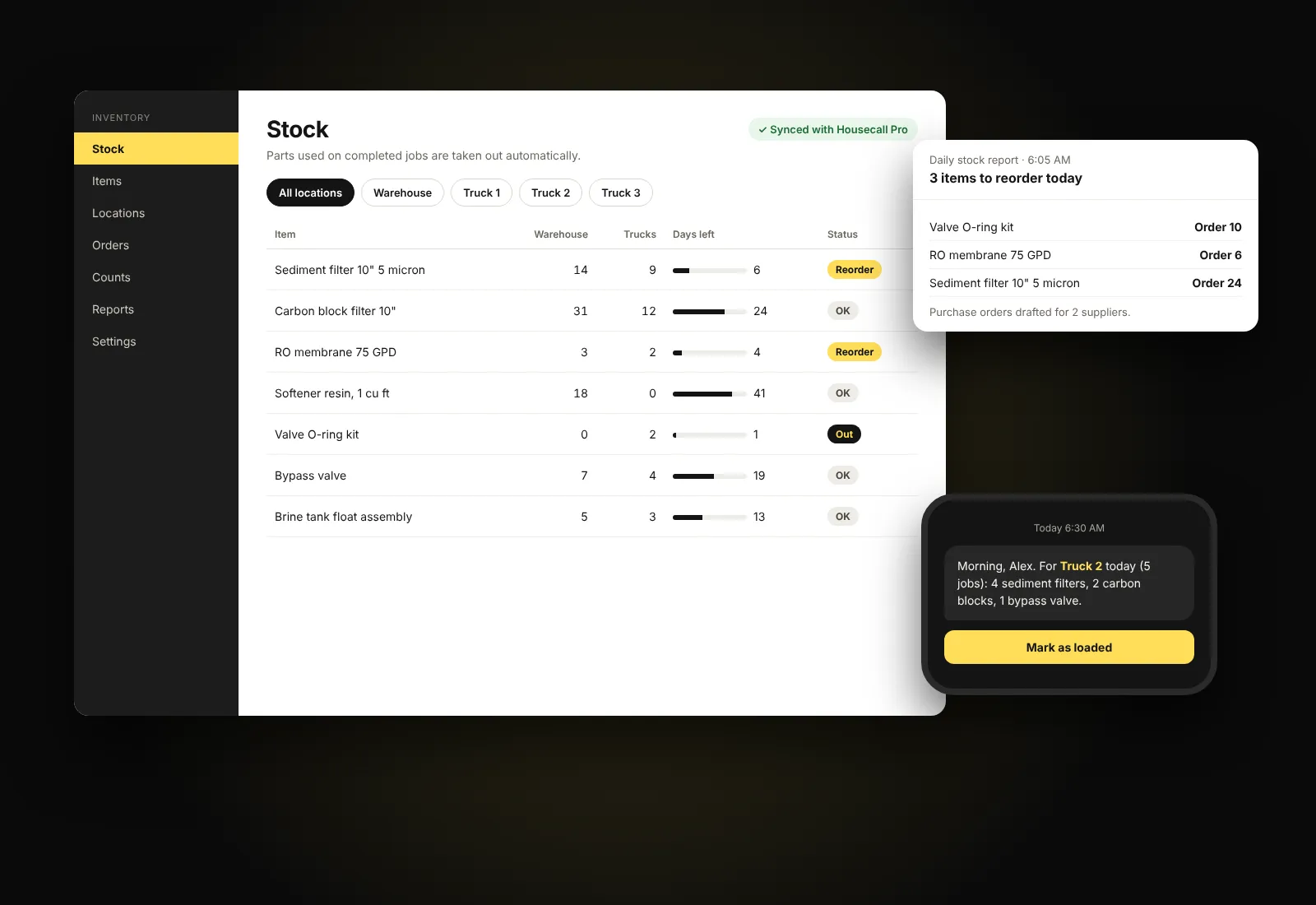
Illustration of the plugin's screens with sample data.
Why we made it. Housecall Pro tracks the jobs, not the parts on the trucks. We built this so stock counts update themselves from finished jobs, and techs leave each morning with what they need.
How it works
- Add the parts you stock and match each to its Housecall Pro price book item.
- Enter your starting counts for the warehouse and each truck.
- Every day, the plugin reads the parts used on newly completed jobs and takes them out of stock. It only ever reads from Housecall Pro.
What it does
- Stock by location, with a location for each truck linked to its tech.
- Days of stock left for every item, and a list of untracked parts seen on jobs.
- A daily email with the reorder list, and purchase orders emailed to suppliers.
- Morning texts to each tech with the parts for the day's jobs, and a one-tap "loaded" button that moves them onto the truck.
- Shortage warnings from scheduled jobs, and stock targets per truck.
- Receive, count and correct stock, with a full history, count sheets and reminders.
- Phone barcode scanning, CSV export, and reports on stock value and parts cost per job.
- WooCommerce sales can draw from the same stock.
Interested?
Ask us about Service Inventory Pro
Tell us a little about your team and how you work today. We reply within one business day.