
Website service requests, straight into Housecall Pro
Turns website service requests into Housecall Pro leads, with spam filtering, service-area checks and an approval queue.
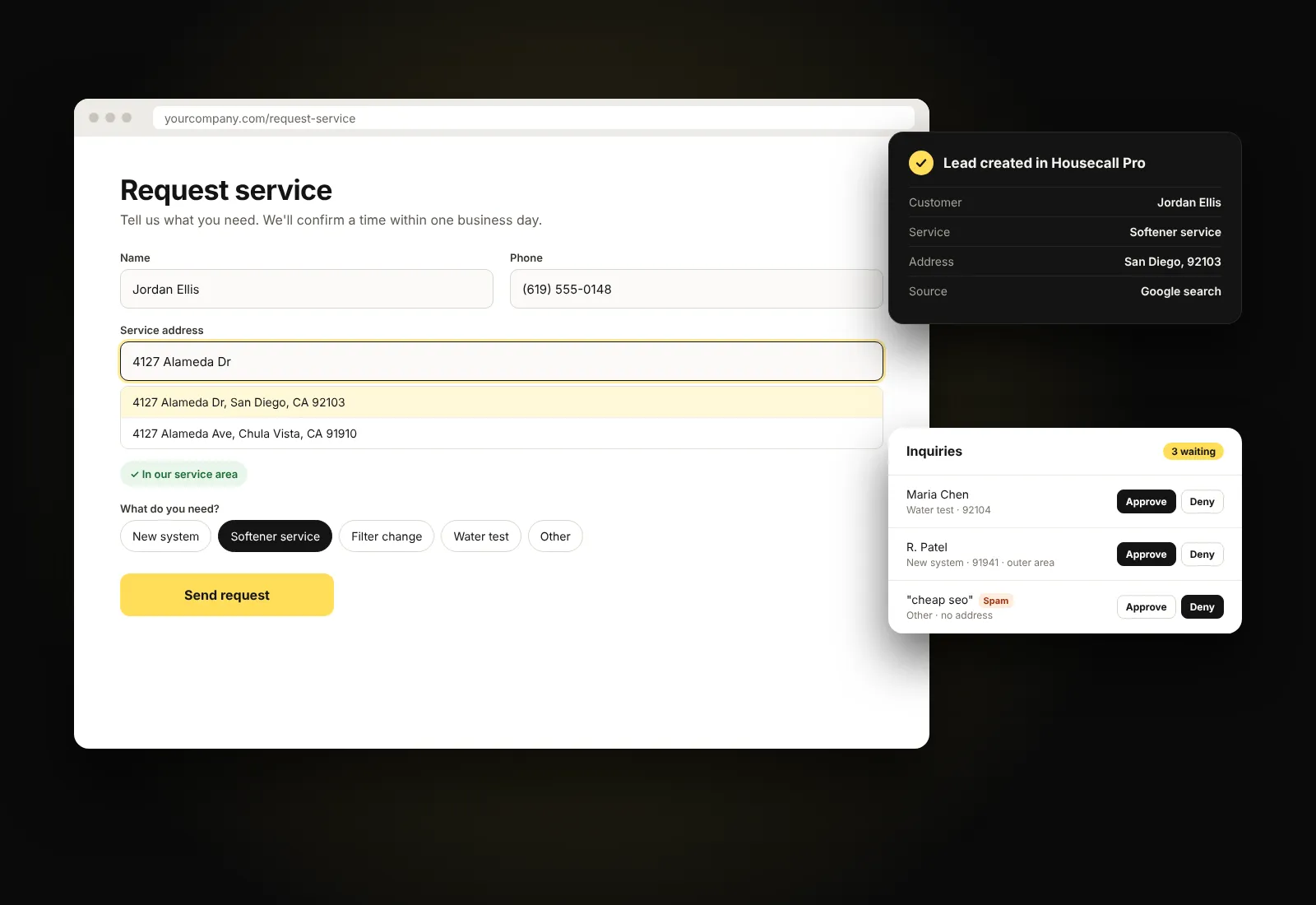
Illustration of the plugin's screens with sample data.
Why we made it. Website requests were landing in an inbox and getting retyped by hand. Now each one goes straight into Housecall Pro, checked for spam and service area first.
How it works
- Add the request form to any page with one shortcode.
- A visitor picks their service and address. The form checks the address against your service area.
- The request is created in Housecall Pro as a lead, with the customer and service address, and emailed to you as a backup.
What it does
- Creates the customer, address and request in Housecall Pro in one step.
- Emails you every request, even if Housecall Pro can't be reached.
- Blocks spam without a CAPTCHA, using a hidden field, a signed timestamp and rate limits.
- Sorts addresses by service area: in area, outer area with a travel charge, or outside.
- Optional approval queue: Gravity Forms entries wait in an Inquiries list for someone to approve or deny before they reach Housecall Pro.
- Saves where each visitor came from (search, ad or referral) with their request.
- Address suggestions as you type, if you add a Google Places key.
- An activity log and a connection test in the settings.
Interested?
Ask us about Booking Connector for Housecall Pro
Tell us a little about your team and how you work today. We reply within one business day.